Sign-in codes and invitations
Use the right email, find your invitation and recover from a missing code.
Sign in with a code
- Enter the email address used for your invitation. Request a sign-in code and enter the six digits within five minutes.
- Check spam or junk folders. If the code expires, request a new one and use the newest message.
- Never share a sign-in code. Staff do not need your code to approve an invitation. Use one of the sign-in methods shown on the page.
Accept the right invitation
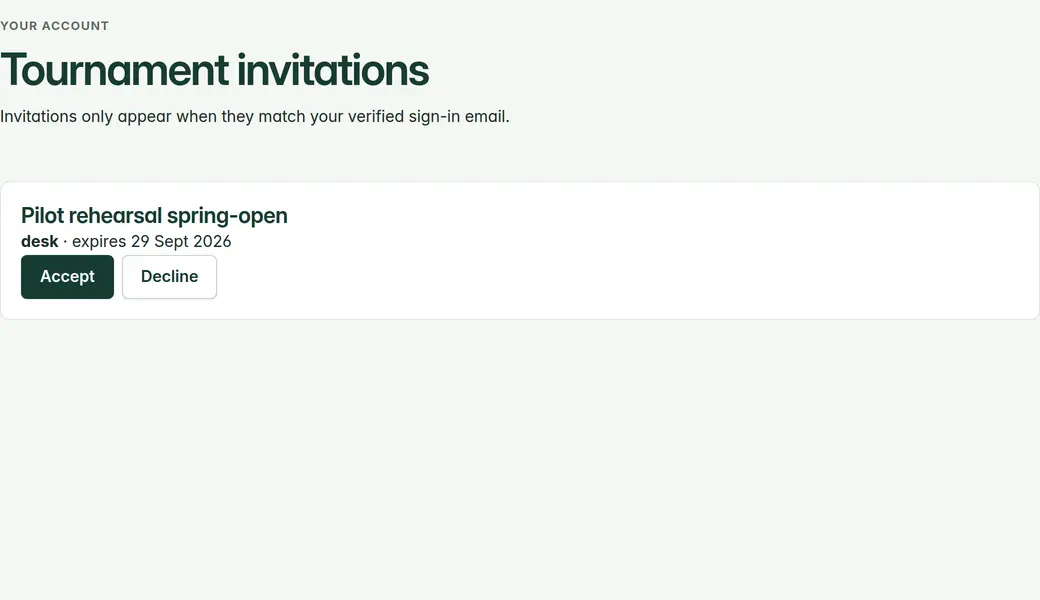
- Tournament invitations appear under Account › Tournament invitations. Accept, then wait for organiser approval.
- Platform and workspace invitations appear under Account › Workspace invitations. Accepting workspace membership does not grant a tournament role.
- If the invitation is missing, check your signed-in email and ask the inviter to confirm the address and invitation status. Do not create extra accounts to work around it.
No code or no access?
- Wait briefly and avoid repeated requests. If requests are rate-limited, wait before trying again.
- If no code arrives, ask the person who invited you to help with access. Share your email address, not a sign-in code.
- A suspended account or revoked tournament assignment cannot use old links to regain access. Ask the organiser or platform administrator to review your access.